My work spans from Python to cloud infrastructure and automation.

Here's what I use.

AWS

Cloud infrastructure and application deployment

Pulse CI · GitHub Analyzer

Python

Application development and automation

Pulse CI · GitHub Analyzer

Docker

Packaging applications and their dependencies

Pulse CI

Terraform

Defining and managing infrastructure as code

Pulse CI · GitHub Analyzer

PostgreSQL

Storing and querying structured data

Pulse CI

Hands-on projects.

Both projects were deployed on AWS and are now taken down.

01 — Pulse CI

Repository analysis · Webhooks · Cloud infrastructure
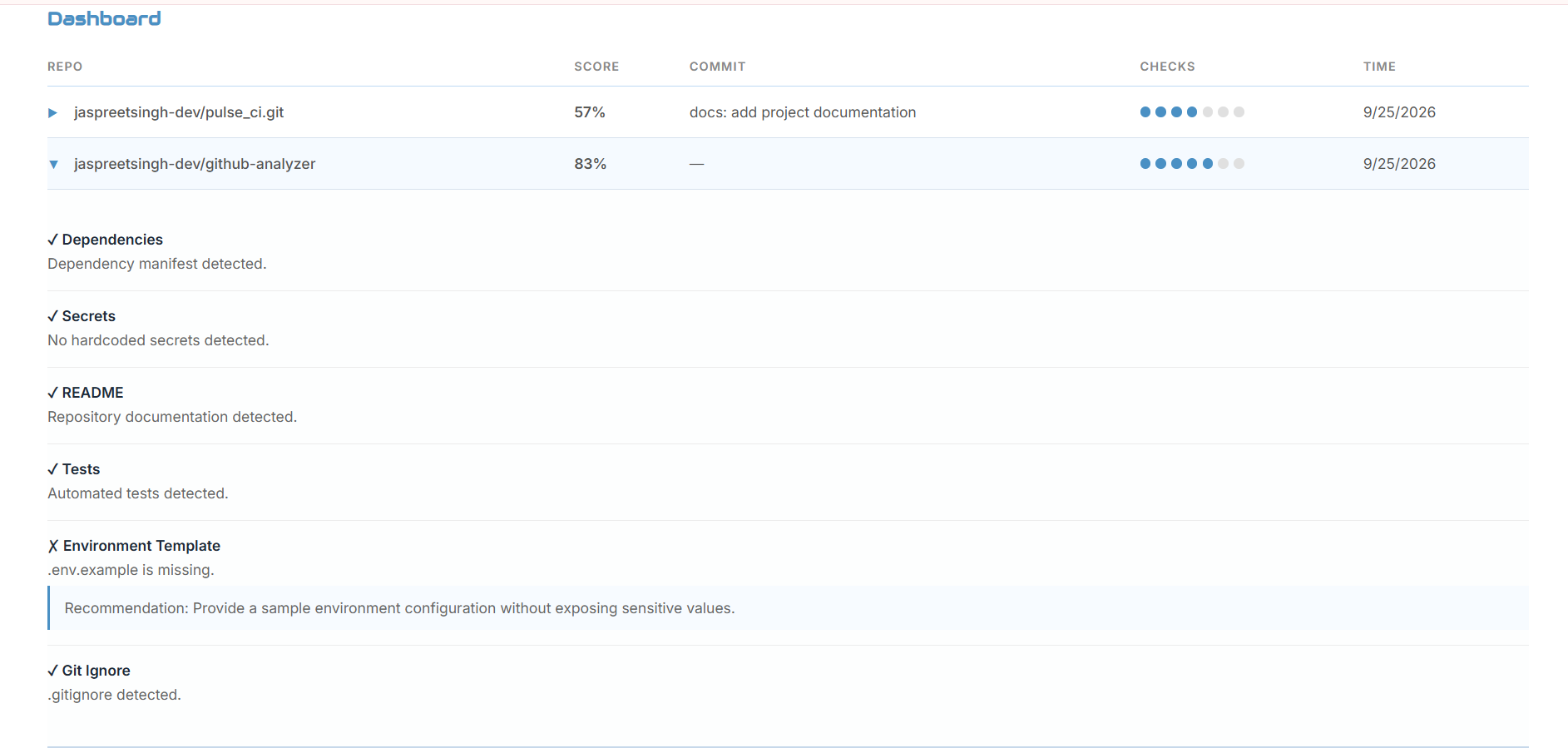
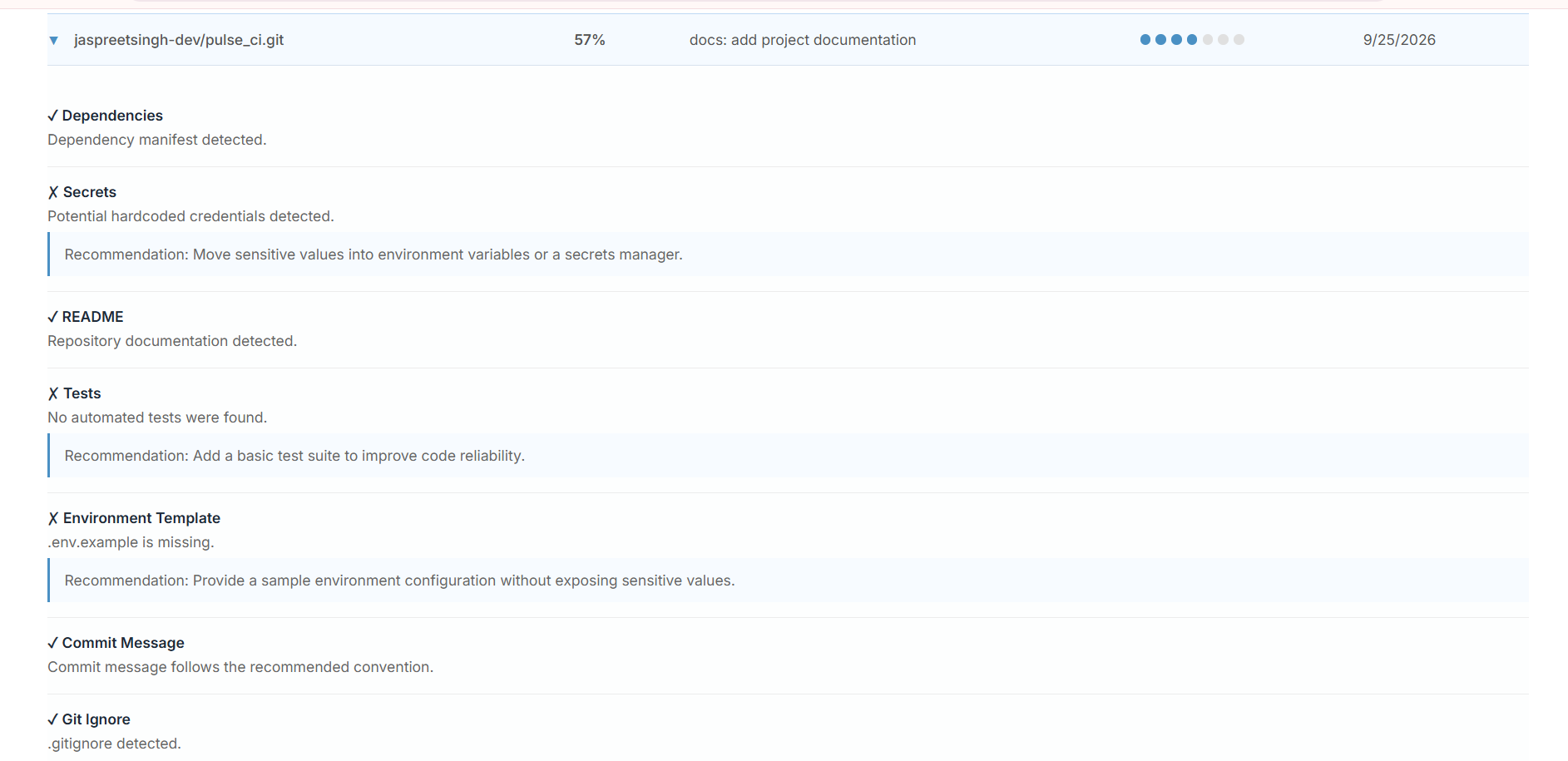
A repository gets pushed. Pulse CI checks its dependencies, tests, documentation, and configuration, then stores a quality score in PostgreSQL. Analyses can also be started manually, without waiting for a GitHub event.

The Flask application connects GitHub webhook events and manual submissions to the same analysis workflow. Results are stored in PostgreSQL and surfaced through the dashboard.

GitHub webhook or manual submission → Flask → Repository checks → PostgreSQL → Dashboard

The application was containerized with Docker and deployed on EC2, with PostgreSQL on RDS inside a VPC. IAM, Systems Manager Parameter Store, and Secrets Manager support access and configuration; CloudWatch provides runtime logs. Terraform defines the infrastructure.

Built with

Python · Flask · Docker · PostgreSQL · AWS · Terraform

Application screenshots show manual and webhook-triggered analyses. CloudWatch logs provide a view into runtime activity.

A limitation

The check is string-based, not semantic. It searches for patterns such as password=, api_key=, and secret=, so it can flag code that handles credentials securely and miss variations such as password = "...". It detects matching strings—not whether a credential is real or exposed.

Previously deployed on AWS. Not currently running.

02 — GitHub Analyzer

Developer comparison · GitHub API · Scoring model

Two profiles. One comparison.

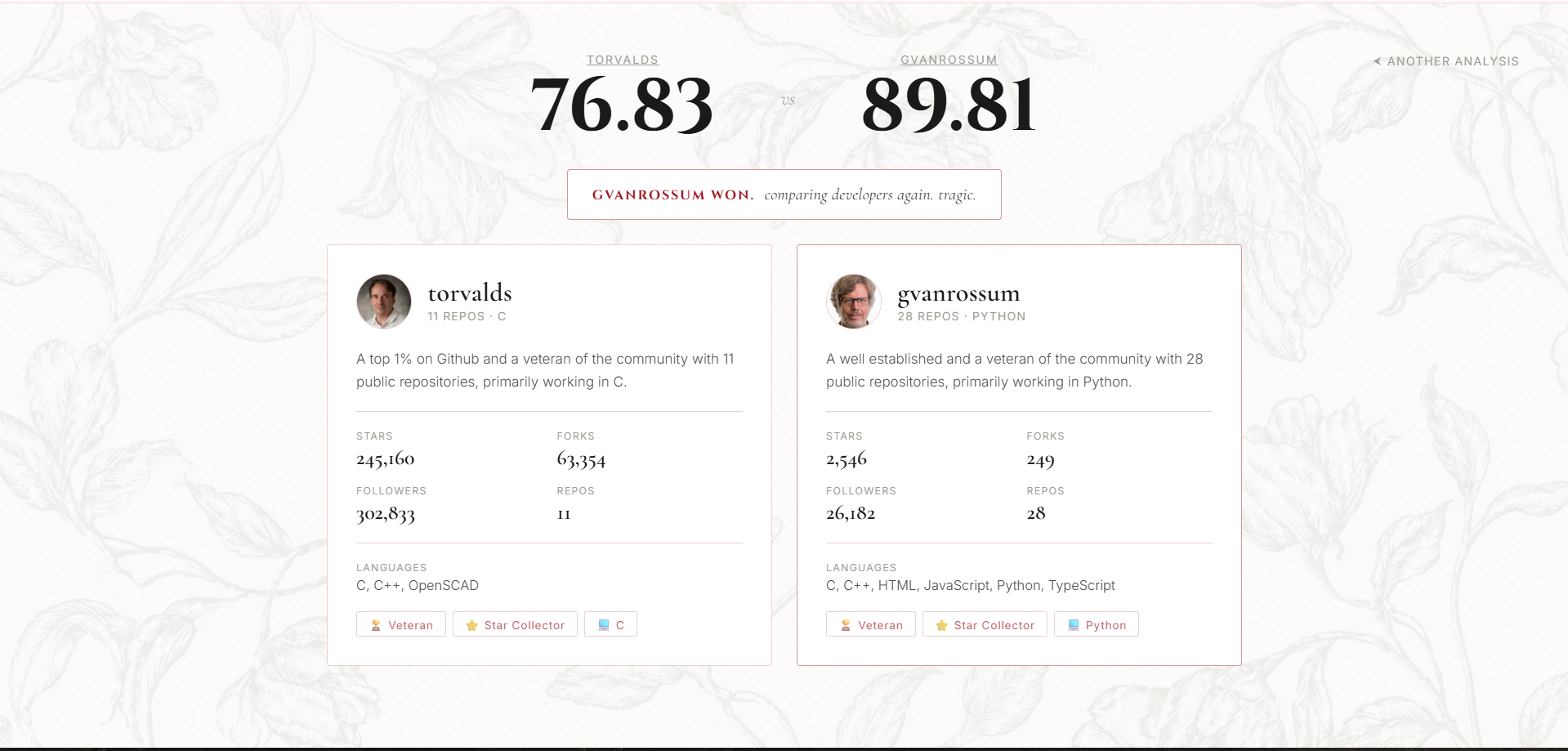
GitHub Analyzer compares two GitHub developers using repository statistics and language distribution, then generates a weighted Codex Score. Comparison reports are stored in Amazon S3.

The score combines five factors: Star Power (25%), Community Impact (20%), Repository Consistency (20%), Documentation Quality (20%), and Language Diversity (15%). The weighted result is normalized to a score from 0–100.

Browser → Flask on EC2 → GitHub REST API → Comparison engine → Boto3 → IAM role → S3

The application uses the GitHub REST API to gather profile and repository data. Boto3 writes comparison reports to S3 using an EC2 IAM role, avoiding hardcoded AWS credentials. Terraform defines the infrastructure.

Built with

Python · Flask · JavaScript · GitHub REST API · EC2 · S3 · IAM · Boto3 · Terraform

Application interface and comparison results demonstrate the workflow.

What the score means

The Codex Score compares observable GitHub activity and repository characteristics using a weighted model. It is not a code-quality verdict; it does not inspect whether a repository's implementation is correct, secure, or well-designed.

Previously deployed on AWS. Not currently running.
Get in touch.

Looking to grow in a professional engineering environment, contribute to meaningful work, and learn from experienced engineers.

jaspreetsinghh.dev@gmail.com

That’s the work so far.